
Technology
Google Keep Launches Integration of Reminders into Tasks

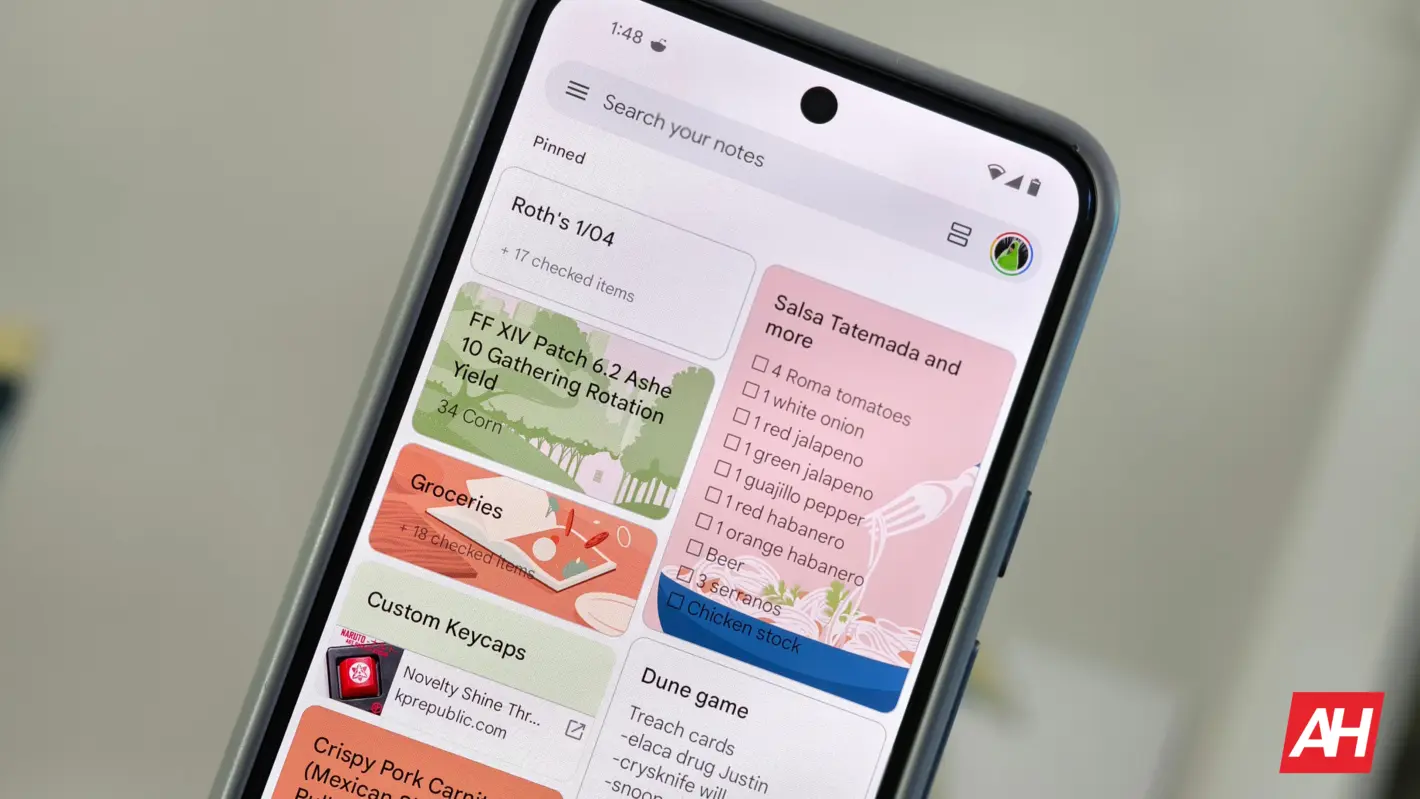
Google Keep is initiating the integration of its reminder feature into Google Tasks, a change first announced in October 2022. This migration aims to streamline user experience by consolidating reminders within the Tasks application. Users will soon notice a prompt reading “Reminders are now Google Tasks” when this feature becomes available on their devices.
Google Keep has long served as a popular tool for taking notes and creating checklists. With the shift to Google Tasks, users can expect to manage their reminders more efficiently. The app has supported reminders since its inception, but as of April 2022, it was confirmed that these reminders would transition to Tasks. The rollout of this feature is now underway.
As users tap the bell icon in the upper-right corner of a note, they will see the notification regarding the integration. The pop-up message clarifies that users can view, edit, and complete reminders across multiple platforms, including Assistant, Calendar, Gemini, Tasks, and Keep. The blue Tasks icon will be displayed at the top of the screen when accessing reminders.
The functionality of setting reminders remains intact. Users can still select options such as “Tomorrow morning,” “Tomorrow evening,” “Same day,” and “Next week.” Additional features like “Pick a date & time with repeat intervals” will also be available. However, it is important to note that Google has eliminated the “Home,” “Work,” and “Pick a place” options, as these location-based reminders are not supported in Google Tasks.
This integration is not yet universally available. Currently, it appears to be rolling out to select accounts, specifically in Google Keep Notes version 5.25.461.02.90. Once users set a date or time for their reminders in Keep, these will automatically sync with the Tasks app and the Calendar grid. Each reminder created will carry a “From Keep” label within Tasks.
While Google Keep will maintain a “Reminders” page accessible through the navigation drawer, notifications for reminders will no longer be issued from Keep. Instead, users will receive notifications through Google Calendar or Tasks. Editing the date and time of reminders can be done from any of the linked apps, while only the Calendar or Tasks app allows for changes to the reminder’s name.
As the integration continues to roll out, users are encouraged to keep an eye out for updates to their applications. The transition is expected to enhance the overall functionality of both Google Keep and Google Tasks, catering to the needs of users who rely on these tools for organization and productivity.








Vancouver Launches Urgent Network to Combat Food Insecurity

Appeals Court Weighs Urgent Release of Immigration Detainees

Calgary Firefighters Battle Blaze in Historic Wooden Building

Whitehorse Nonprofits Urge Government to Revive Free Transit Program

Saskatchewan Health Minister Calls for Urgent Probe into Controversial ALS Facility

Urgent Talks Begin for Repurposing Old RAM Building in Alberta

Friends and Family Demand Justice for Murdered B.C. Mom in Court

Haiti Announces August 2026 Elections Amid Ongoing Gang Violence

Raccoon Launches Late-Night Liquor Store Rampage in Virginia

Secwepemc First Nation Seeks Aboriginal Title Over Kamloops Area

Scientists Unearth Ancient Antarctic Ice to Unlock Climate Secrets

Trump and McCormick to Announce $70 Billion Energy Investments

Four Astronauts Return to Earth After International Space Station Mission

TransLink Launches Food Truck Program to Boost Revenue in Vancouver

Apple Notes Enhances Functionality with Markdown Support in macOS 26

Manitoba’s Burger Champion Shines Again Amid Dining Innovations

Urgent Update: Fatal Crash on Highway 99 Claims Life of Pitt Meadows Man

Ukrainian Tennis Star Elina Svitolina Faces Death Threats Online
-
 Politics4 weeks ago
Secwepemc First Nation Seeks Aboriginal Title Over Kamloops Area
-
 World5 months ago
Scientists Unearth Ancient Antarctic Ice to Unlock Climate Secrets
-
 Entertainment5 months ago
Trump and McCormick to Announce $70 Billion Energy Investments
-
 Science5 months ago
Four Astronauts Return to Earth After International Space Station Mission
-
 Lifestyle5 months ago
TransLink Launches Food Truck Program to Boost Revenue in Vancouver
-
 Technology3 months ago
Apple Notes Enhances Functionality with Markdown Support in macOS 26
-
 Lifestyle3 months ago
Manitoba’s Burger Champion Shines Again Amid Dining Innovations
-
 Top Stories2 months ago
Urgent Update: Fatal Crash on Highway 99 Claims Life of Pitt Meadows Man
-
 Politics4 months ago
Ukrainian Tennis Star Elina Svitolina Faces Death Threats Online
-

 Sports5 months ago
Search Underway for Missing Hunter Amid Hokkaido Bear Emergency
-

 Politics5 months ago
Carney Engages First Nations Leaders at Development Law Summit
-
 Technology5 months ago
Frosthaven Launches Early Access on July 31, 2025